Direct answer: an order confirmation is the record of what Tavexio received at submission, not a guarantee of acceptance, dispatch or delivery. Verify the order number, complete product names, SKU where shown, quantity, delivery postcode and checkout email immediately. Keep the confirmation unedited as the reference for any later enquiry. This guide explains what to check, what the confirmation does and does not prove, and how to store it without exposing private information.
What an order confirmation represents
The confirmation records the order as submitted at a specific time. Tavexio’s Terms and Conditions distinguish submitting an order from guaranteed acceptance. An order may later be declined or cancelled when age, location, availability, pricing, security or legal requirements cannot be satisfied. The confirmation remains useful as the authoritative record of what was submitted, even when a later status changes.
Do not treat the confirmation as a shipping notice, a tracking record or a promised delivery date. Those are separate stages with their own evidence.
Fields to verify immediately
Open the confirmation as soon as it arrives and check these fields in order:
- Order number: this is the primary reference for all later enquiries. Record it exactly as shown.
- Checkout email: confirm this is an email address you can access. Order communications will be directed to this address.
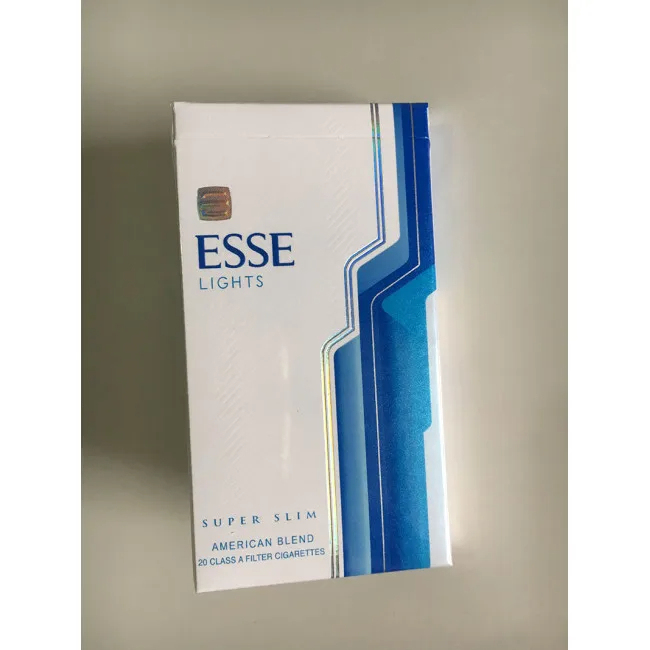
- Complete product names: read each line item in full, including variant descriptors such as colour, strength or edition. A shortened brand name may omit distinctions needed to identify the record.
- SKU where shown: if the confirmation includes a SKU code, compare it with the product page. Do not invent or infer a code when none is displayed.
- Quantity and sale unit: check that the quantity matches your intention and that the sale unit is one carton containing 10 packs where applicable.
- Delivery postcode: confirm the destination postcode is correct. Do not publish the full street address in a general enquiry.
- Displayed amounts: record the current displayed price as a time-sensitive condition, not a permanent product fact.
What the confirmation does not prove
- Acceptance: submission is not the same as acceptance. Tavexio may decline or cancel an order when conditions cannot be satisfied.
- Dispatch timing: the confirmation does not state when an order will be dispatched. Processing estimates are guidance, not guarantees.
- Delivery date: a confirmation is not a delivery promise. Carrier conditions, address checks, public holidays, remote destinations and events outside reasonable control may affect timing.
- Stock availability: a product shown as available at submission may later become unavailable. The confirmation records the state at submission only.
- Age or identity clearance: receiving a confirmation does not mean age or identity checks are complete. Such checks may apply where applicable.
Store the confirmation securely
Keep the original confirmation email unedited. If making a personal note, label it clearly as a note and copy exact fields without replacing them with brand shorthand. Useful practices include:
- Saving the email in a dedicated order folder with the date.
- Recording the order number, checkout email, destination postcode and complete product names in a separate note.
- Avoiding screenshots that crop out the order number or date.
- Not posting order information in public comments, reviews or social channels.
Do not include payment card details in a stored note. The confirmation itself should not contain full card numbers; if it does, treat this as a sensitive document and store it accordingly.
When the confirmation differs from your intention
If the confirmation shows a different product name, SKU, quantity or postcode than you intended, act promptly:
- Open the current product page and record the live title and SKU.
- Compare the confirmation line with the live record field by field.
- Note which field differs without guessing the cause.
- Use the Tavexio contact form with the order number, checkout email and a concise description of the mismatch.
- Wait for instructions before submitting a second order or returning an item.
A changing live product page does not rewrite the historical confirmation, and a historical confirmation does not freeze current price or stock. Treat them as records from different times.
Using the confirmation in an enquiry
When contacting Tavexio about an order, the confirmation provides the reference fields support needs. The contact page asks for the order number and checkout email for order enquiries, and the order number plus destination postcode for delivery questions. Include only the information needed for the specific issue:
- Product identity question: order number, checkout email, complete product name from the confirmation and the specific field in question.
- Quantity mismatch: order number, checkout email, the confirmed quantity and the intended quantity.
- Delivery question: order number and destination postcode. Do not publish the full street address.
- Post-submission cancellation request: order number, checkout email and a concise reason. Do not assume the request can be fulfilled after processing has begun.
Do not send payment card details, identity documents or unrelated sensitive information through a general enquiry.
Confirmation and tracking are separate records
A confirmation precedes dispatch. A tracking reference, when provided later, belongs to the carrier record, not the order confirmation. Keep both records with the same order number, but do not treat a quiet tracking page as proof that the confirmation was invalid. Refer to the tracking delay guide when a carrier timeline stops changing.
Verification checklist
- Order number is present and recorded exactly.
- Checkout email is accessible and current.
- Every product line shows a complete name with variant descriptors.
- SKU codes match the product pages where shown.
- Quantity and sale unit are as intended.
- Delivery postcode is correct.
- Displayed amounts are recorded as time-sensitive conditions.
- The confirmation is stored unedited and privately.
- Payment card details are not included in personal notes.
- I understand the confirmation records submission, not acceptance or delivery.
Adult and health notice: Tavexio serves adults aged 18 or older at eligible Australian delivery addresses. Tobacco contains nicotine, which is addictive, and smoking causes serious health risks. This guide explains order confirmation verification and is not legal advice, a recommendation to smoke or a claim that any product is safer.